
Search for answers or browse our knowledge base
How do I setup email on my iPhone?
There’s a quick and easy way to set up email on your iPhone or iPad. On the device you wish to set up mail:
Auto-Configuration
If you have access to your Hosting Control Panel, follow the steps below to download and install the settings. If not, let us know and we can send the file to you on WhatsApp and you can skip straight to step 5 😉
- Head to Manage Hosting > Options > Manage.
- Select Email Accounts.
- Select Options > Account Setup.
- You’ll then see the Download iOS Mobile Profile button, select this to download the config file.
- Review and install the profile on your phone, you’ll need to enter your mailbox password to complete the setup.
Manual Configuration
To set up your mailbox on an Apple iPhone or iPad, you need to:
- Head to the Settings icon and locate the Accounts & Passwords option.
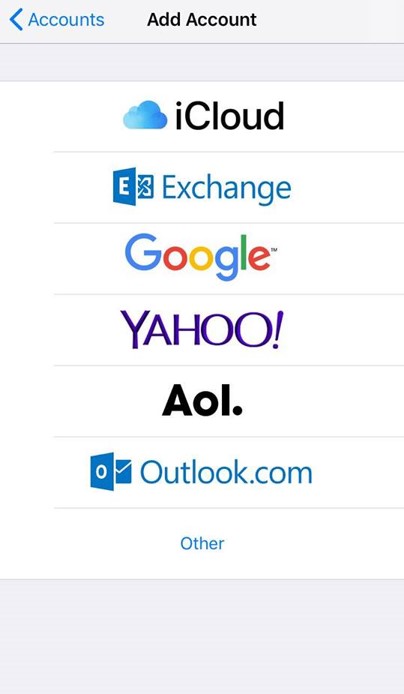
- Then select ‘Add Account’.
- Select Other from this list.
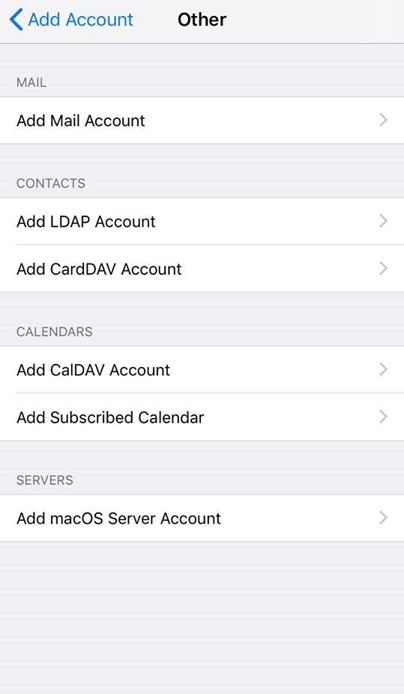
- Select Add Mail Account.
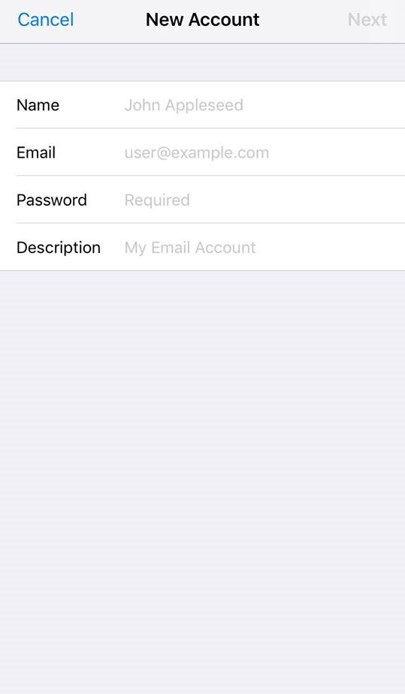
- Input the information requested:
Name: your name, as you want it to show on emails
Email: your email, eg example@yourdomain.com
Password: your email password
Description: this is just for your reference, eg Work
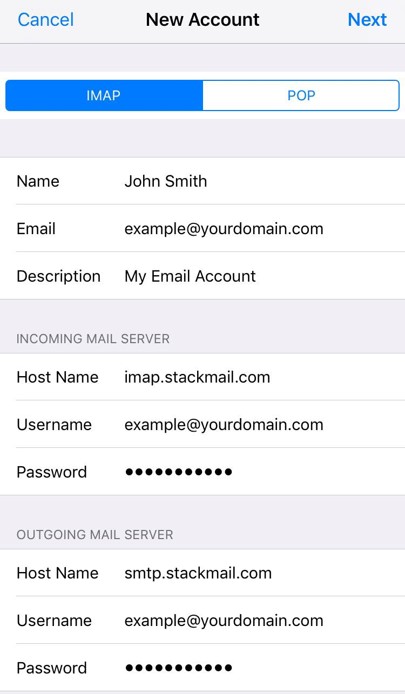
Make sure that IMAP is selected (not POP) and enter the server details
Server Details
Incoming Mail Server
Host Name: imap.stackmail.com
Username: your email address
Password: your password
Outgoing Mail Server
Host Name: smtp.stackmail.com
Username: your email address
Password: your password
Finally, select the mail account and go into the Outgoing Mail Server settings. Select Primary Server, make sure SSL is switched on and the port is set to 587.